
College feature · Scheduling
Campus timetables, without the clashes
Build and manage class, faculty and department schedules in one place — every period, room and lecturer, synced to every phone.
Every department, one placeZero double-bookingSynced to every phone
Period 02 · VI-AScience · 09:15
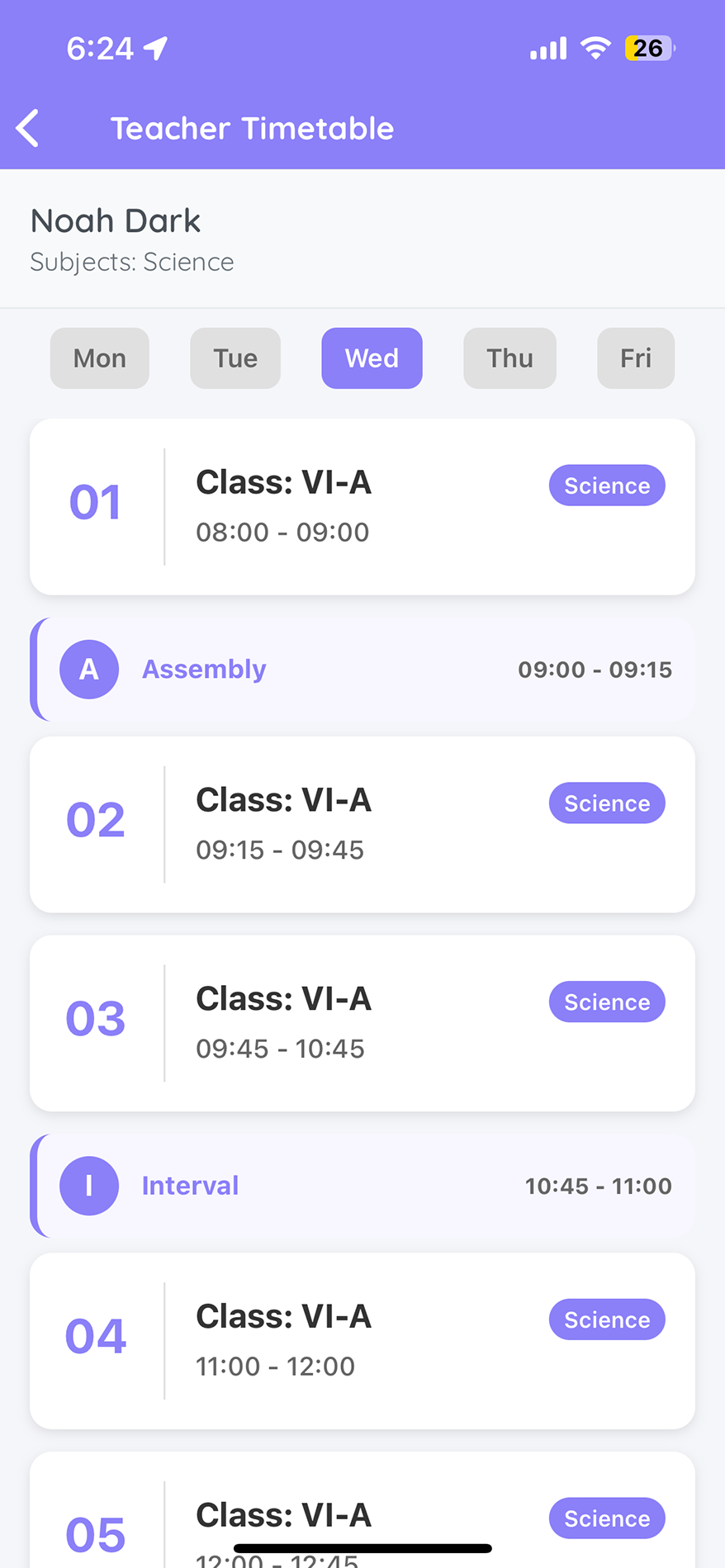
Synced liveto staff & students
The shift
From whiteboard chaos to one synced schedule
No more clashing rooms and last-minute confusion.
The old way
✕Timetables are built by hand each term.
✕Clashes surface only after classes begin.
✕Changes are chased over phone and paper.
✕Faculty and students work off different versions.
With TedQu
✓Schedules built once, across every department.
✓Clashes are caught before the term starts.
✓Updates push to every phone, instantly.
✓One source of truth for staff and students.
How it works
Plan once, sync everywhere
1Build
Set classes, faculty, rooms and periods.
2Balance
TedQu flags clashes and gaps automatically.
3Publish
The schedule lands on every phone.
4Adjust
Any change syncs live, no confusion.
See it in action
Every period, faculty and room — in sync
✓Class, faculty and department views in one place.
✓Assembly, intervals and breaks, built in.
✓Live changes, with no version confusion.
Why it matters
Why it matters
One schedule
Every department, period and room aligned.
No clashes
Conflicts caught before classes begin.
On every phone
Faculty and students, always in sync.
0double-bookings
Everydepartment linked
Liveon every phone
Explore the suite
More for your campus
See Timetables & Scheduling for your campus
A 30-minute walkthrough, mapped to how you schedule.
Book a free demo →